My Invisalign - Official App
- 3.5
- Rating
- 1.00M
- Installs
- Free
- Price

 Analysis by App-foxy
I approached My Invisalign as more than a companion for checking a treatment schedule. It is a medical app from Align Technology designed around the everyday tasks that can make clear-aligner treatment easier to manage: reminders, progress photos, and answers to common questions. That focus gives it a practical role, especially when treatment becomes easy to forget during busy days.
My overall impression is positive, but specific. This is most useful when you already use Invisalign and want a simple place to stay engaged with the process. It is less convincing as a general oral-health app, and it should not be treated as a replacement for your orthodontist. The strongest part of the experience is the way it turns small routines into visible checkpoints. The weaker part is that its usefulness depends heavily on how comfortable you are with phone navigation, photography, and keeping up with reminders.
How clearly the app works for different people and situations
I’ll look at how the app’s focused treatment support can work for people with different routines and abilities, including where a little planning may make its tools easier to use. That perspective also helps clarify which situations are a natural fit and where another approach may be more comfortable.
You May Also Like

 Blood Strike: 2.5 Anniversary
Blood Strike’s Loadouts Turn Every Drop Into a Tactical Gamble
A close look at Blood Strike’s custom loadouts: how fast access to signature weapons reshapes its battle royale rhythm, rewards preparation, and narrows the gap between fights.

 Pandora - Music & Podcasts
Pandora’s Music Is Easy to Start, but Harder to Recover
Pandora’s strength is its low-effort path from a seed to a station. Its weak spot is how much confidence it asks you to place in connection, setup, and quiet recovery.

 8 Ball Pool
 Is Built on Rivalries, Rematches, and Routine
A close look at the rivalries, rematches, shared routines, and unanswered safety questions that turn a quick pool match into a persistent mobile community.

 Samsung Music
’s Quiet Strength Is Playing What You Already Own
Its reach comes less from spectacle than from dependable access to a personal library. That simplicity is both the app’s strongest retention engine and its ceiling.

 AccuWeather: Weather Radar
AccuWeather Review: A Quick, Clear Forecast for Everyday Decisions
For everyday plans, the best forecast is the one you can understand quickly. AccuWeather makes rain timing, radar, and local conditions easy to act on, with a few trade-offs.

 Hill Climb Racing
Why Hill Climb Racing Still Turns Crashes Into One More Run
A tiny car, a bumpy hill and one more upgrade: Hill Climb Racing keeps resurfacing because its simple chaos makes every near-miss feel personal.
More From Our News Desk



Readability and navigation in a treatment-focused app
The app’s purpose is easy to understand from the start. Rather than presenting a broad collection of dental tools, it keeps attention on the Invisalign journey. That narrow scope helps me find the functions I would actually expect to use: checking guidance, reviewing progress photos, and using reminders to support the routine.
For someone who is already familiar with smartphones, the layout should feel approachable. The most important content is connected to a treatment task instead of being buried under unrelated medical information. That matters when I am checking the app quickly between appointments or during a busy morning. A focused screen is often more helpful than a feature-heavy dashboard that asks me to interpret too much at once.
Readability is also about mental effort, not only text size. Align Technology has positioned the app around straightforward actions, which makes it easier to understand why I am opening it. I am not using it to research every possible dental condition. I am using it to remember, record, and clarify parts of a specific aligner routine.
That said, people vary widely in how they process health information. A user who prefers detailed explanations may still need to contact the dental practice for personalized answers. General guidance can help me frame a question, but it cannot account for every treatment plan, attachment, discomfort pattern, or change in progress. I would treat the app’s answers as orientation rather than a clinical decision tool.
The app is free, which removes an important access barrier for people who do not want another subscription connected to their treatment. It is also rated for Everyone, making its intended audience broad. Those points make it easier to recommend as a companion for adults, teenagers, and families managing an Invisalign routine, while remembering that the actual treatment instructions should come from the responsible dental professional.
Motor and sensory considerations during everyday use
Several of the app’s central activities involve ordinary phone actions, but “ordinary” does not mean effortless for everyone. Taking progress photos may require holding the device steadily, positioning the face consistently, and repeating a similar angle over time. A person with limited hand control, tremors, fatigue, or difficulty maintaining a position may find this more demanding than the brief store summary suggests.
My practical advice is to make the photo routine physically predictable. I would sit down, use the same well-lit place, and support my arm rather than trying to capture a rushed image while standing. Keeping the phone at a comfortable height can reduce strain and make comparisons more useful. If another person can help, that may produce more consistent images without turning the task into a stressful performance.
Reminders can support users who lose track of routines, but they can also become background noise. Someone sensitive to frequent alerts may prefer to check the app at a chosen time instead of reacting to every prompt. The useful trade-off is not simply “more reminders are better.” The right approach is one that helps me remember without making the treatment feel like a constant interruption.
Visual information may work well for people who like seeing progress, yet it may be less comfortable for users who have low vision or who find close-up mouth images difficult to interpret. I would not assume that a photo record is equally accessible to every user. If reviewing images is hard, the treatment team remains the better source for confirming whether progress looks appropriate.
People with sensory sensitivities may also appreciate a calm, task-based approach, but the app cannot remove every uncomfortable part of aligner treatment. The physical experience of wearing, removing, and cleaning aligners happens outside the screen. My view is that the app can organize the routine, not make the routine effortless.
Situational access: when the app earns its place
The clearest everyday use case is a person who leaves home early, moves between work or school, and repeatedly forgets a treatment task. A reminder can act as a small interruption at the right moment. Instead of relying on memory alone, I can use the app as an external cue and then return to what I was doing.
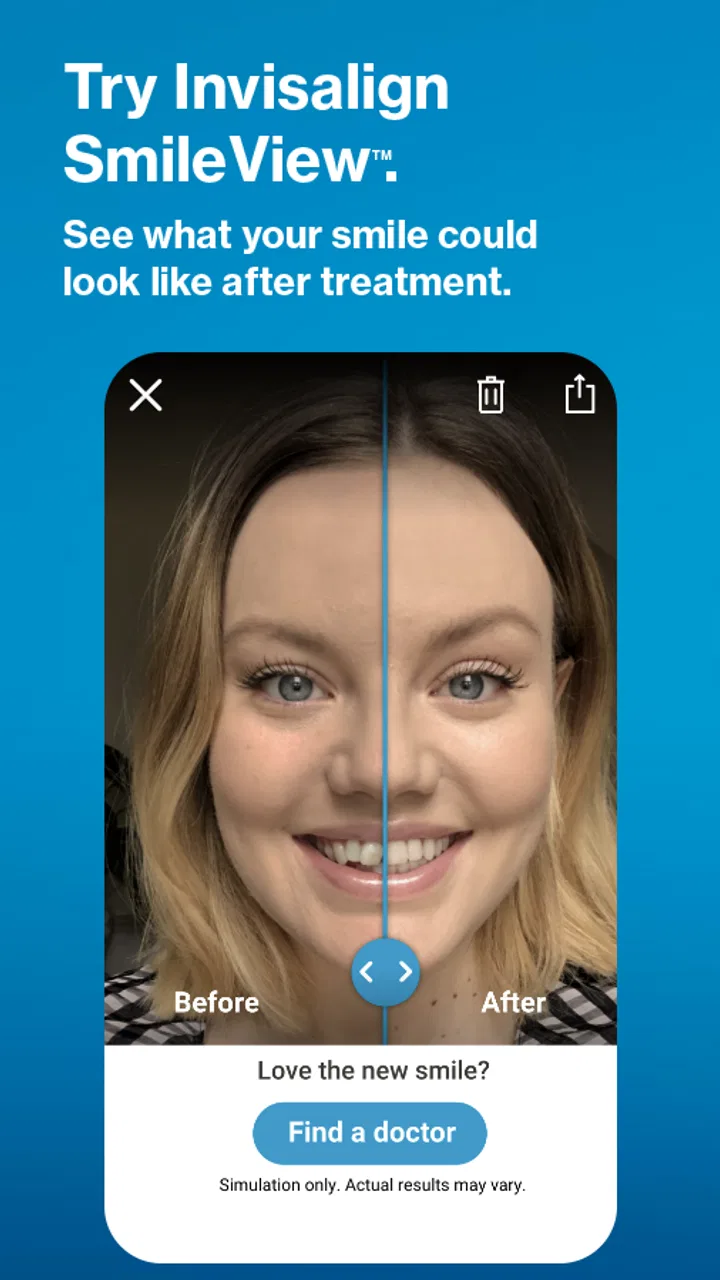
Progress photos are particularly useful when appointments are separated by time and I want a personal record of change. The value is not only visual reassurance. A consistent record can help me remember when something changed and give me a clearer starting point for a conversation with the orthodontic team. I would avoid judging treatment success from a single image, though. Lighting, camera position, expression, and image quality can all affect what I think I see.
The question-and-answer side is helpful when a small concern appears outside office hours. If I am unsure whether a common part of the process is expected, having a place to look may stop me from searching random forums. This is one of the app’s more responsible uses: it can help me form a sensible question instead of encouraging me to diagnose myself.
For caregivers, the app may provide a shared routine around reminders and progress tracking, especially when a younger user needs encouragement. The best approach would still give the person wearing the aligners a role in the process. A reminder is more supportive when it builds independence rather than becoming another way for someone else to monitor every action.
Situational access also includes connectivity, privacy, and the setting in which I use the phone. I may be checking a reminder in a classroom, workplace, public transport, or shared home. A discreet, quick interaction is preferable in those moments. I would also be thoughtful about where I take and review mouth photographs, particularly if other people can see the screen.
Where the experience still has barriers
The biggest limitation is the boundary between digital support and clinical care. An app can remind me to perform a task and help me organize questions, but it cannot examine my mouth in person or make treatment decisions. If I experience severe pain, a broken component, a concerning change, or uncertainty about what to do next, I would contact the orthodontic practice rather than relying on a general answer inside the app.
Another barrier is consistency. The progress-photo feature is only useful if I take images in a reasonably repeatable way. People with busy schedules, limited privacy, or difficulty holding a phone may not be able to maintain that habit. The app’s design can encourage the workflow, but it cannot solve the practical circumstances around it.
There is also a motivational limit. Seeing progress can be encouraging, but not everyone finds photographs helpful. Some users may become overly focused on small visual differences or feel discouraged when change is gradual. I would use the photo record as a conversation aid and personal reference, not as a daily test of whether treatment is working.
Users who want broad dental education may find the narrow focus restrictive. A general oral-care resource may be better for questions about brushing, gum health, diet, or unrelated symptoms. Likewise, someone comparing different orthodontic treatments before starting may need independent professional advice rather than a companion app built around Invisalign.
Accessibility needs can be highly individual. The fact that the app is intended for Everyone does not mean every interaction will suit every person. Reading comfort, visual interpretation, hand movement, attention, hearing, and sensory preferences all affect the experience. I would judge it by the specific tasks I can comfortably complete, and I would ask the dental team or a trusted helper to adapt the routine when needed.
What the numbers suggest about its place in the category
My Invisalign has a 3.8 average from roughly fifteen thousand ratings, with about one and a half thousand written reviews. That tells me it has reached a substantial audience, while the score also suggests that the experience is not universally smooth. I would read that combination as a reason to keep expectations practical: useful for many patients, but not automatically perfect for every phone, treatment situation, or personal routine.
The app has passed one million installs, which fits its role as an established companion rather than a niche experiment. It was released in February 2018, so it has had time to become familiar to people looking for Invisalign-related support. Still, longevity does not remove the need to evaluate whether its workflow fits my abilities and whether I am comfortable using a phone for treatment tracking.
Compared with a paper calendar, the app has a clear advantage in keeping reminders and progress photos together. A calendar can tell me to remember something, but it cannot provide the same treatment-centered context. Compared with a general reminder app, it is more relevant to Invisalign users because the purpose is already connected to the orthodontic routine.
On the other hand, a general reminder app may be better for someone who needs highly customized schedules, shared household planning, or accessibility tools already familiar to them. A paper record may also be preferable for users who avoid storing sensitive health-related images on a phone or who find handwriting easier than navigating a medical app. The best choice depends on the task, not on the assumption that a specialized app is always superior.
Three practical ways I would use it
First, I would create a consistent photo habit rather than taking pictures whenever I happen to remember. The same location, similar lighting, and a supported phone position make the record more meaningful. This is a small workflow improvement, but it prevents me from confusing changes in photography with changes in my teeth.
Second, I would use the question feature before an appointment to collect concerns as they arise. Instead of trying to remember everything in the dental chair, I could note what I want to ask and use the app’s information to separate a routine question from something that deserves a direct call. That makes the appointment more focused without pretending the app can provide a personal diagnosis.
Third, I would treat reminders as prompts for a larger routine. For example, when a reminder appears, I might check that I have the necessary aligner supplies with me or decide whether I need to plan a private moment later for a progress photo. This makes the alert useful in real life instead of reducing it to another notification to dismiss.
A fourth, less obvious point is to consider who controls the routine. If a family member helps, I would agree on what support is welcome and what should remain private. The app can be part of shared encouragement, but treatment adherence should not become a source of unnecessary pressure. That distinction matters especially for younger users or anyone who already feels anxious about dental care.
Who should choose it, and who should look elsewhere
I think this app is a good fit for an Invisalign user who wants a free, focused companion for reminders, progress photos, and basic questions. It is especially sensible for someone who likes visual records, often forgets small tasks, or wants to arrive at appointments with clearer observations.
I would be more cautious recommending it to someone who needs extensive accessibility customization, dislikes taking facial photographs, has limited ability to hold a phone, or wants a complete dental-health reference. Those users may do better with a combination of professional guidance, a familiar accessibility-focused reminder tool, and a paper or caregiver-supported record.
It is also not the right choice for anyone hoping to manage orthodontic treatment independently. The app supports a treatment relationship; it does not replace one. Its answers can reduce uncertainty around everyday questions, but they should not be used to override instructions from the orthodontist or to delay help when a problem feels serious.
My inclusive verdict
My Invisalign succeeds because it concentrates on a real problem: keeping a long orthodontic routine visible and manageable. I like that the experience connects reminders, photos, and questions to the same treatment journey instead of sending users across unrelated tools. The free price and broad age rating make it approachable, while the large install base shows that many people find value in having this kind of support on their phone.
Its inclusive value is more nuanced. The app can reduce memory demands and give users a structured way to record progress, but photography, visual review, phone handling, and notification habits will not work equally well for everyone. I would recommend adapting the routine with a stable setup, a helper, or an alternative reminder method when necessary rather than forcing every user into the same workflow.
In the end, I would recommend it as a practical companion for people already following Invisalign treatment, not as a standalone medical authority. If its reminders fit your day and its photo workflow feels comfortable, it can make the process easier to organize and discuss. If those interactions create stress or physical difficulty, a general accessibility-friendly tool and direct communication with your dental team may serve you better. The best result comes from using the app to support your care, while keeping professional advice at the center.
Developed by Align Technology, the app is free to use and suitable for Everyone. For me, that combination makes it worth trying when the goal is simple treatment support rather than a complete dental-care system.
FAQs for My Invisalign - Official App
01What features does the My Invisalign app offer?
The My Invisalign app provides a comprehensive suite of features to support your Invisalign journey. It includes appointment reminders, a progress tracker with photo uploads, and educational resources about Invisalign treatment. Additionally, users can use the app to communicate easily with their orthodontist and access personalized treatment plans and tips.
02Is the My Invisalign app available for both Android and iOS devices?
Yes, the My Invisalign app is available for both Android and iOS devices. You can download it from the Google Play Store for Android devices and the Apple App Store for iOS devices. Make sure your device meets the minimum operating system requirements to ensure compatibility and optimal performance.
03How does the My Invisalign app help with treatment progress tracking?
The app allows users to track their Invisalign treatment progress by uploading photos of their teeth. This feature enables users to visualize changes over time and share updates with their orthodontist. The app also provides reminders and notifications to help keep treatment on schedule, ensuring optimal results.
04Can I use the My Invisalign app to communicate with my orthodontist?
Yes, the My Invisalign app includes features to facilitate communication with your orthodontist. You can send messages, share progress photos, and receive updates or instructions directly through the app. This streamlined communication helps ensure you receive timely advice and support throughout your treatment.
05Are there any costs associated with using the My Invisalign app?
The My Invisalign app is free to download and use. However, it is designed to complement the Invisalign treatment, which requires a financial commitment. Consult with your orthodontist for more information on treatment costs. The app itself does not include any in-app purchases or subscription fees.
Pros
- User-friendly interface with intuitive navigation.
- Real-time progress tracking for aligner changes.
- Personalized reminders for aligner switch.
- Access to expert tips and FAQ section.
- Secure platform for personal data.
Cons
- Limited offline functionality.
- Occasional sync issues with aligner tracking.
- No direct contact with orthodontist.
- Requires frequent app updates.
- Limited customization for notifications.

My Invisalign - Official App
Gallery